
php2shell (CVE-2026-109618, CVE-2026-109619): how to patch PHP today
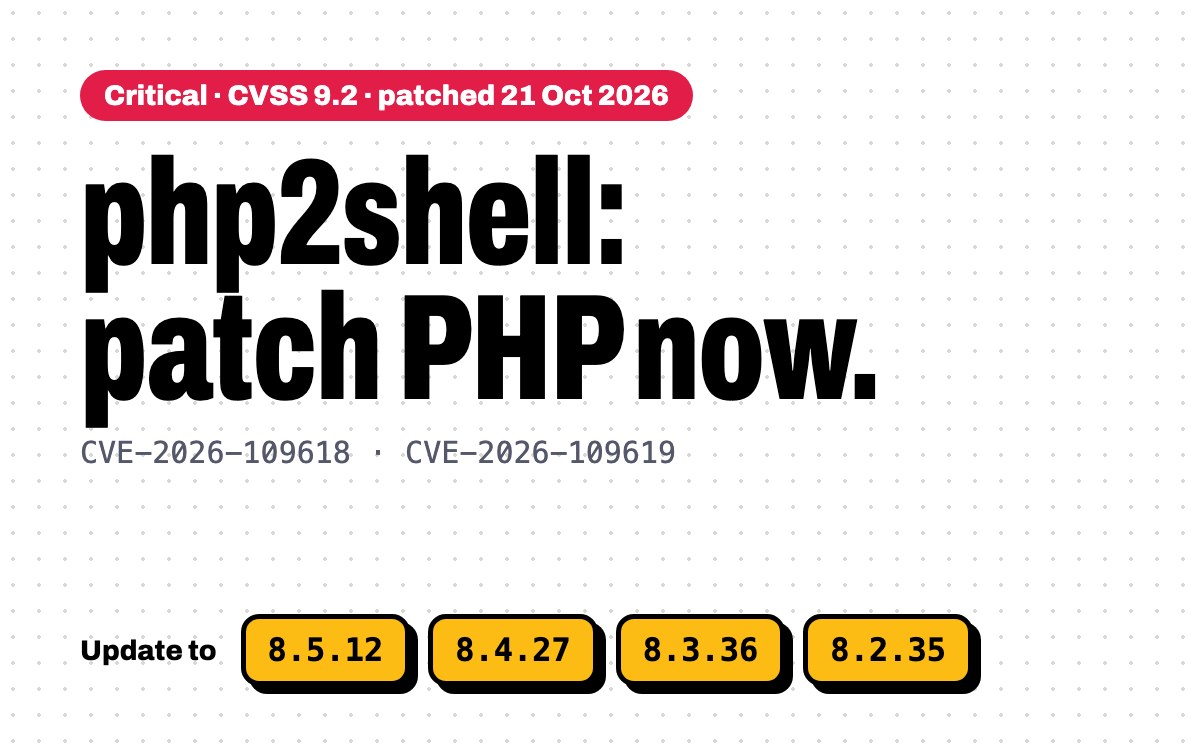
Yesterday PHP shipped fixes for two critical bugs that let anyone on the internet run code on your server. No login needed. If you run PHP anywhere, update it today.
The two PHP vulnerabilities are CVE-2026-109618 and CVE-2026-109619, nicknamed php2shell. Both are rated 9.2 (critical) under CVSS v4. They’re in PHP itself, not in Laravel, WordPress or any framework. So updating your framework or your plugins won’t fix them. Only updating PHP will.
This is what happened, who’s affected, and exactly what to run.
What happened
- 17 October: Amazon’s threat intelligence team saw a php2shell exploit attempt against its honeypots, four days before anything was public.
- 20 October: the two CVE IDs leaked online, with the wrong release time and a wrong CVSS score of 10.0. That evening a research video of the exploit was published by mistake.
- 21 October, 14:00 UTC: PHP released 8.5.12, 8.4.27, 8.3.36 and 8.2.35, a day earlier than planned because of the leak.
- Since then: attack attempts are being reported, and proof-of-concept code is circulating. The PHP Foundation says none of the PoCs it inspected worked at release time. Don’t treat that as breathing room.
The two bugs, in plain words
- CVE-2026-109618, out-of-memory corruption. If PHP runs out of memory while it’s still setting up a request, the cleanup afterwards treats half-built data as valid. A crafted multipart request can trigger it. On Apache with mod_php, this happens before your application code even runs.
- CVE-2026-109619, stale state between requests. One request leaves behind a pointer to memory that’s already been freed, and a later request on the same worker uses it. Session upload progress, which is on by default, is one way in. It works even if your app never calls
session_start().
Either can give an attacker code execution with your web worker’s permissions. PHP says the code path goes back to PHP 5.4.
Are you affected?
Almost certainly, if you serve PHP over the web. PHP lists PHP-FPM, Apache mod_php, php-cgi, FrankenPHP and LiteSpeed. The risk is highest on mod_php.
- PHP 8.5: update to 8.5.12
- PHP 8.4: update to 8.4.27
- PHP 8.3: update to 8.3.36
- PHP 8.2: update to 8.2.35
- PHP 8.1 and older: no official release. These versions are end of life. The PHP security team published minimal source backports for 7.4 to 8.1, but the real fix is moving to 8.2 or newer.
One catch: some Linux distributions backport fixes without changing the version number. If you use your distro’s own PHP packages, check its security advisory instead of trusting php -v alone.
Which sites and apps are hit
Because the bugs are in the PHP engine, every app on an unpatched PHP is exposed, however clean its own code is. Calif, the team that found php2shell, reports unauthenticated code execution against these apps in testing:
- CMS and e-commerce: WordPress 7.1.2, Drupal 11.4.3, Joomla 6.1.4 and Magento 2.4.9. Sansec adds Shopware and WooCommerce stores.
- Frameworks: Laravel 13.11 and Symfony 8.1.
- Self-hosted tools: MediaWiki 1.46.2 (the software behind Wikipedia), Nextcloud 35.0.1, Roundcube 1.7.4, phpMyAdmin 5.2.3 and WHMCS.
Sansec stresses that a real attack still needs specific conditions on the target. The public proof-of-concept code doesn’t work against a default PHP install, and most of it needs a file inclusion bug in the app as well. That’s why patching now matters: the conditions get easier as the exploits improve.
Some sites didn’t wait. In the Netherlands, the tech site Tweakers and the National Cyber Security Centre (NCSC) took their sites offline as a precaution.
The exposure is big. One Shodan-based estimate counts about 2.2 million hosts that announce PHP in their headers. Around 884,000 of them run a PHP branch that will never get an official fix.
As of 22 October, no confirmed breach has been made public. Amazon, Cloudflare and watchTowr have all reported exploit attempts. I’ll update this post if named victims are confirmed.
What to do now
1. Check which PHP versions you run
Check every version installed on the server, not just the one your site uses:
ls /etc/php
php8.4 -v
php-fpm8.4 -v
2. Update PHP
On Ubuntu or Debian with the Ondřej Surý packages (what Laravel Forge uses), upgrade every package for each version you have. Swap 8.4 for your version:
sudo apt-get update
apt-cache policy php8.4-fpm   # Candidate should be 8.4.27

sudo apt-get install --only-upgrade -y \
  -o Dpkg::Options::="--force-confold" \
  $(dpkg -l 'php8.4*' | awk '/^ii/ {print $2}')
If the candidate isn’t the fixed version yet, the patched packages haven’t reached the mirror. Wait a little and run it again.
- Laravel Forge: its automatic security updates don’t patch PHP. Open the server’s PHP tab and click Update PHP X.X for every installed version.
- Docker: rebuild your images on the patched tag (for example
php:8.4.27-fpm) and redeploy. Pulling a new base image does nothing until the containers are rebuilt and restarted. - Managed or shared hosting: your host patches PHP for you. Ask them to confirm they’ve applied the 21 October release.
3. Restart everything that runs PHP
The upgrade restarts PHP-FPM. Long-running processes keep the old PHP in memory until you restart them. In a Laravel app, that means:
php artisan queue:restart
php artisan horizon:terminate
php artisan octane:reload
Reverb, Supervisor programs and any other daemons need a restart too.
4. Check it worked
Run php-fpm8.4 -v again and confirm the fixed version. Then check what your site actually reports, for example with a temporary phpversion() call behind auth. The CLI and FPM can be on different builds.
Can’t update today?
These settings close the known attack paths. They don’t make you safe, and PHP is clear that updating is the only complete fix. Set them in php.ini or the FPM pool config, not with ini_set() or .user.ini (those apply too late), then restart every worker:
; CVE-2026-109619: the session upload progress path
session.upload_progress.enabled = 0

; CVE-2026-109619 on PHP 8.5: the fatal error backtrace path
fatal_error_backtraces = 0

; CVE-2026-109618: PHP's own advice, set where apps can't override it
memory_limit = -1
Removing the memory limit sounds wrong, and it is a trade-off: a runaway script can now eat the server’s RAM. Only do it with tight request size limits in front of PHP. PHP recommends post_max_size = 8M (32M if you need uploads), and blocking multipart requests at the web server if your app doesn’t take uploads. Don’t replace the memory limit with RLIMIT_AS or RLIMIT_DATA. Those can trigger the very bug you’re trying to avoid.
If you’re behind Cloudflare, it has deployed WAF rules for the known exploit paths on every plan, including free. On paid plans, check that the managed rules are set to block, not just log. Treat that as a layer, not a fix.
WordPress and Shopify
WordPress: WordPress.org says no WordPress update is needed or planned. Keeping core and plugins updated doesn’t help here. Check your PHP version under Tools → Site Health → Info → Server, then patch PHP or ask your host to.
Shopify: Shopify’s own platform isn’t your problem. But if you run a custom Shopify app or middleware on your own PHP server (a lot of them are Laravel), that server needs patching like any other.
Check whether you were already hit
Exploit attempts started before the disclosure, so Amazon recommends investigating from 17 October, not from the patch date. Amazon suggests searching your logs for upload POSTs that contain PHP_SESSION_UPLOAD_PROGRESS. Also look for PHP workers crashing or restarting more than usual, odd multipart requests, new files in web roots and unexpected outbound connections from the web user. A clean log doesn’t prove you’re safe. If you find something, assume the web user’s credentials and keys are compromised and rotate them.
The short version
- Update to 8.5.12, 8.4.27, 8.3.36 or 8.2.35. Today.
- Patch every installed PHP version, then restart FPM, queue workers, Horizon and Octane.
- On 8.1 or older, plan the upgrade now. There’s no official fix coming.
- Can’t patch yet? Turn off session upload progress, and isolate anything internet-facing.
Running a client server and not sure where to start? Email me with what you run and I’ll tell you what to patch first.
Frequently asked questions
What is php2shell?
php2shell is the name for two critical PHP vulnerabilities, CVE-2026-109618 and CVE-2026-109619, fixed on 21 October 2026. Both are rated 9.2 under CVSS v4 and can let an unauthenticated attacker run code on a server with the web worker’s permissions.
Which PHP versions fix CVE-2026-109618 and CVE-2026-109619?
PHP 8.5.12, 8.4.27, 8.3.36 and 8.2.35. Every earlier release on those branches is vulnerable. PHP 8.1 and older are end of life and get no official fix.
Is WordPress affected by php2shell?
Yes, if it runs on unpatched PHP. The bugs are in PHP itself, so updating WordPress, plugins or themes does not help. WordPress.org says no WordPress update is needed. Patch PHP, or ask your host to confirm they have.
Do I need to update Laravel?
No. Laravel is not the problem, PHP is. Update PHP, then restart PHP-FPM, queue workers, Horizon and Octane so they load the patched version. Laravel Forge’s automatic security updates do not patch PHP.
Is php2shell being exploited?
Exploit attempts have been reported since 17 October 2026, four days before disclosure, by Amazon, Cloudflare and watchTowr. As of 22 October no confirmed breach has been made public.
How do I check if my server is patched?
Run php -v and php-fpm -v for every installed PHP version and compare against 8.5.12, 8.4.27, 8.3.36 or 8.2.35. Some Linux distributions backport fixes without changing the version number, so check your distribution’s security advisory too.
Sources
- PHP security release announcement, 21 October 2026 (php.net)
- GHSA-w8hw-w9fx-j79w: out-of-memory corruption, CVE-2026-109618 (GitHub)
- GHSA-6wmf-4rv5-p3rp: stale global state, CVE-2026-109619 (GitHub)
- CVE-2026-109618 and CVE-2026-109619 (CVE.org)
- Today’s PHP security release and how we’re strengthening PHP security (The PHP Foundation)
- PHP security advisory for Forge servers (Laravel Forge)
- Critical PHP security release (WordPress.org)
- php2shell exploitation before public disclosure (Amazon Threat Intelligence)
- Critical unauthenticated RCE in PHP (Rapid7)
- php2shell FAQ (Tenable)
- Security Advisory 2026-018 (CERT-EU)
- php2shell technical write-up (Calif)
- PHP2Shell: critical PHP RCE, and what it means for stores (Sansec)
- PHP core RCE: exposure estimate (Phoenix Security)
- PHP2Shell exploitation explained (Recorded Future)
- PHP2Shell: mass exploitation looms (SecurityWeek)
- Exploit attempt four days before disclosure (The Hacker News)